
Support
Frequently asked questions
Everything crew members ask most about how Cabin Drinks works, what it stores, and how to keep it ready to fly.
What is Cabin Drinks?
Cabin Drinks is an independent service tool created by a flight attendant to organize food and beverage orders by seat. It replaces handwritten notes with a simple workflow: take orders, prepare them in the galley, and check them off during delivery.
Is this an official airline app?
No. Cabin Drinks is an independent project built for flight attendants and is not affiliated with, endorsed by, or connected to any airline.
Why doesn’t Cabin Drinks collect passenger names?
That is an intentional privacy decision. A seat number is enough to prepare and deliver an order, so Cabin Drinks does not ask for passenger names, loyalty status, flight numbers, or other identifying information.
If you would like to greet a passenger by name, please use your airline’s authorized tools. Avoid entering names or personal information anywhere in Cabin Drinks.
Where are my orders stored?
Orders and First Class food inventory remain locally on your device. Cabin Drinks does not submit passenger orders to an online account or central database.
Because information remains on your device until it is cleared, you should reset the app after completing service.
Does Cabin Drinks work without internet access?
Yes—after its files have been downloaded successfully. Before departure, open Cabin Drinks while connected to the internet and wait for the Offline Ready confirmation.
After an update, launch or refresh the app while online before relying on it in airplane mode.
How do I install it on my iPhone?
Open Cabin Drinks in Safari, tap the Share button, select Add to Home Screen, turn on Open as Web App, and tap Add. Then launch it once while online so it can prepare itself for offline use.
How do updates work?
Cabin Drinks checks for updates whenever it is opened with an internet connection. If a new version is available, refresh or reopen the app while online.
The version number displayed beside Offline Service Pad lets you confirm which release you are using.
Which cabins and aircraft are supported?
Cabin Drinks includes:
- First Class seating in rows 1–4
- Premium seating in rows 6–10
- Premium exit-row seating in rows 16 and 17
- Configurations for the 737-700, 737-800, 737-900, 737 MAX 8, and 737 MAX 9
The orientation control reverses the walking direction of the seat map while keeping seats on their correct side of the aircraft.
What kinds of orders can I enter?
You can add individual drinks, multiple drinks for one seat, common mixed drinks, custom mixed drinks, doubles, ice and citrus choices, coffee creamers and sweeteners, and item quantities.
Prepare and Deliver views keep the complete order—including modifiers—grouped with the correct seat.
How does First Class food inventory work?
In First Class, you can enter the food choices and quantities loaded for that flight. Assigning an item to a seat reserves it and automatically reduces the remaining quantity.
Food inventory is created locally for each service and is not shared with another device.
Can I scan a menu instead of typing it in?
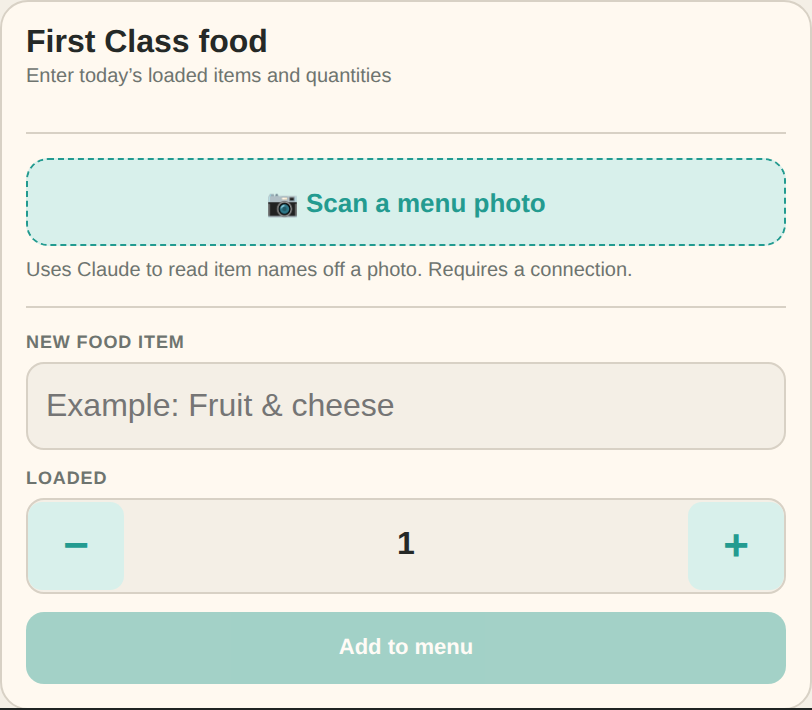
Yes. In First Class food setup, tap “Scan a menu photo” and take a picture (or choose one from your library) of the printed menu. AI reads the photo and pulls out the food item names for you.
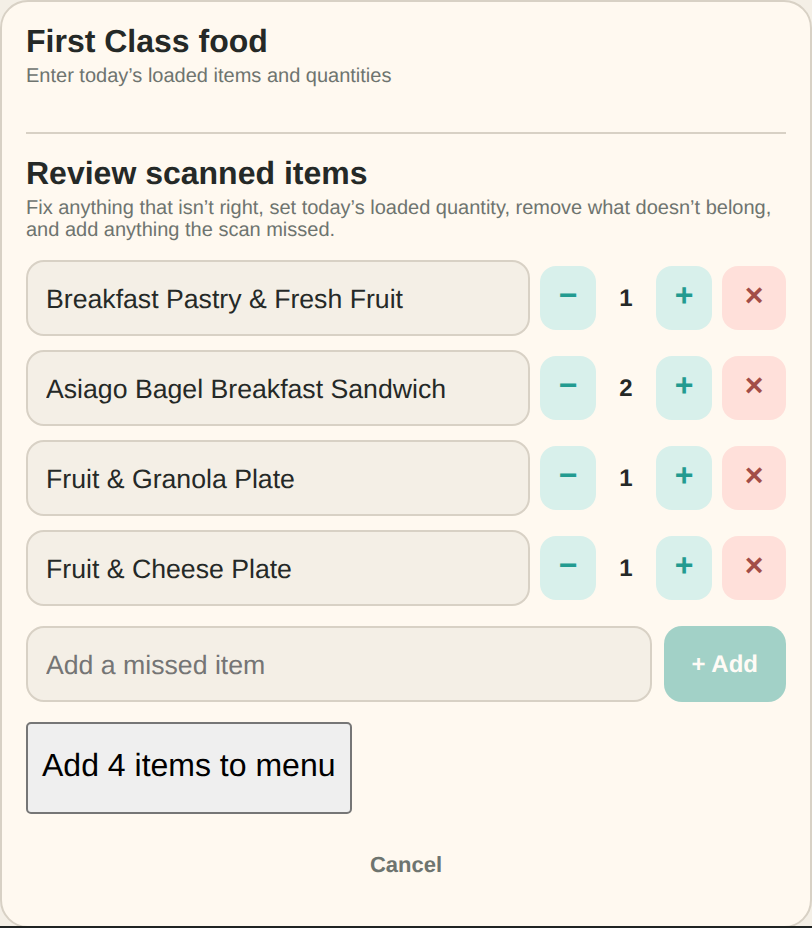
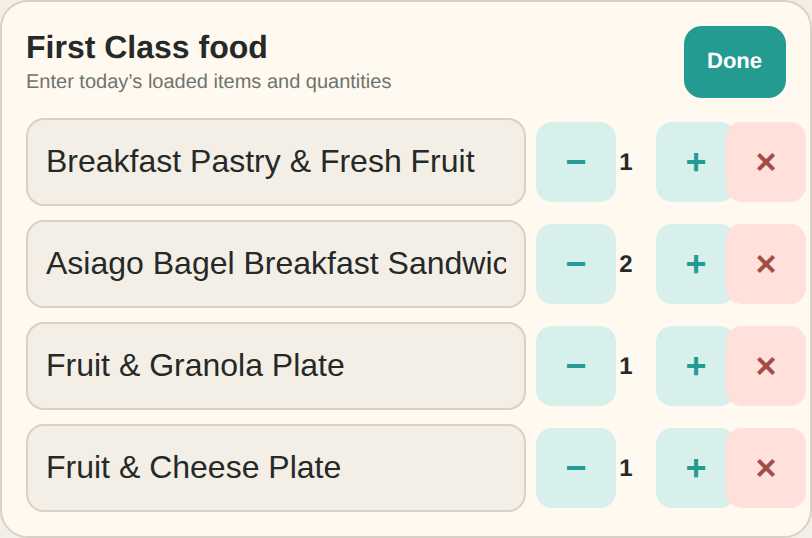
Before anything is added, you get a review screen: fix any misread names, set each item’s loaded quantity, remove anything that doesn’t belong, and add anything the scan missed—nothing goes onto the menu until you confirm.
Scanning uses AI to read the photo, so it needs an internet connection at the moment you scan. Everything else in Cabin Drinks still works fully offline.
What is the difference between “Clear orders” and “Clear all”?
Clear orders removes every food and drink assignment from the seat map while keeping your loaded First Class food menu available.
Clear all removes the orders and resets the loaded food menu and inventory so you can begin a completely new service.
Does Cabin Drinks track passengers or their orders?
No. Cabin Drinks does not create passenger profiles or transmit order contents. The public website may use aggregate traffic analytics to understand general adoption and improve the project, but those analytics do not include passenger names or seat orders.
Can multiple flight attendants share the same service?
Not currently. Each device maintains its own local orders. Cabin Drinks is designed as a personal service pad rather than a shared passenger-information system.
Can I send feedback or suggest a feature?
Absolutely. Cabin Drinks has grown through feedback from other crew members. Use the feedback link on the website to report a problem or suggest an improvement—just don’t include passenger names or other personal information.